Home, Code and Autopilot. What Microsoft Has Announced, What Changes and How to Prepare
On September 25, Microsoft introduced a new Copilot with significant changes under the hood. Until now, most of us used Copilot to ask questions and receive answers. According to Microsoft’s official announcement, Microsoft’s official announcement, Copilot is now organized into three distinct experiences: Home for getting work done, Code for creating solutions, and Autopilot for delegating tasks that can last for days.
To understand what this means in practice, let’s follow a process familiar to every organization: onboarding a new employee. Someone has to prepare the welcome plan, coordinate Human Resources, IT and the employee’s manager, ensure that equipment and access are ready on day one, and follow up during the first weeks.
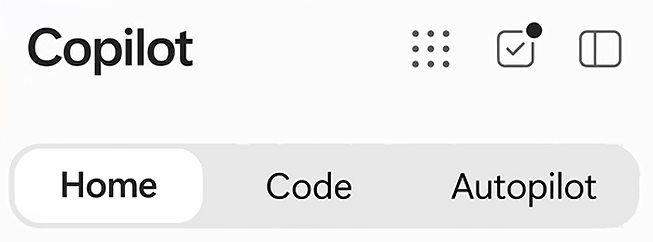
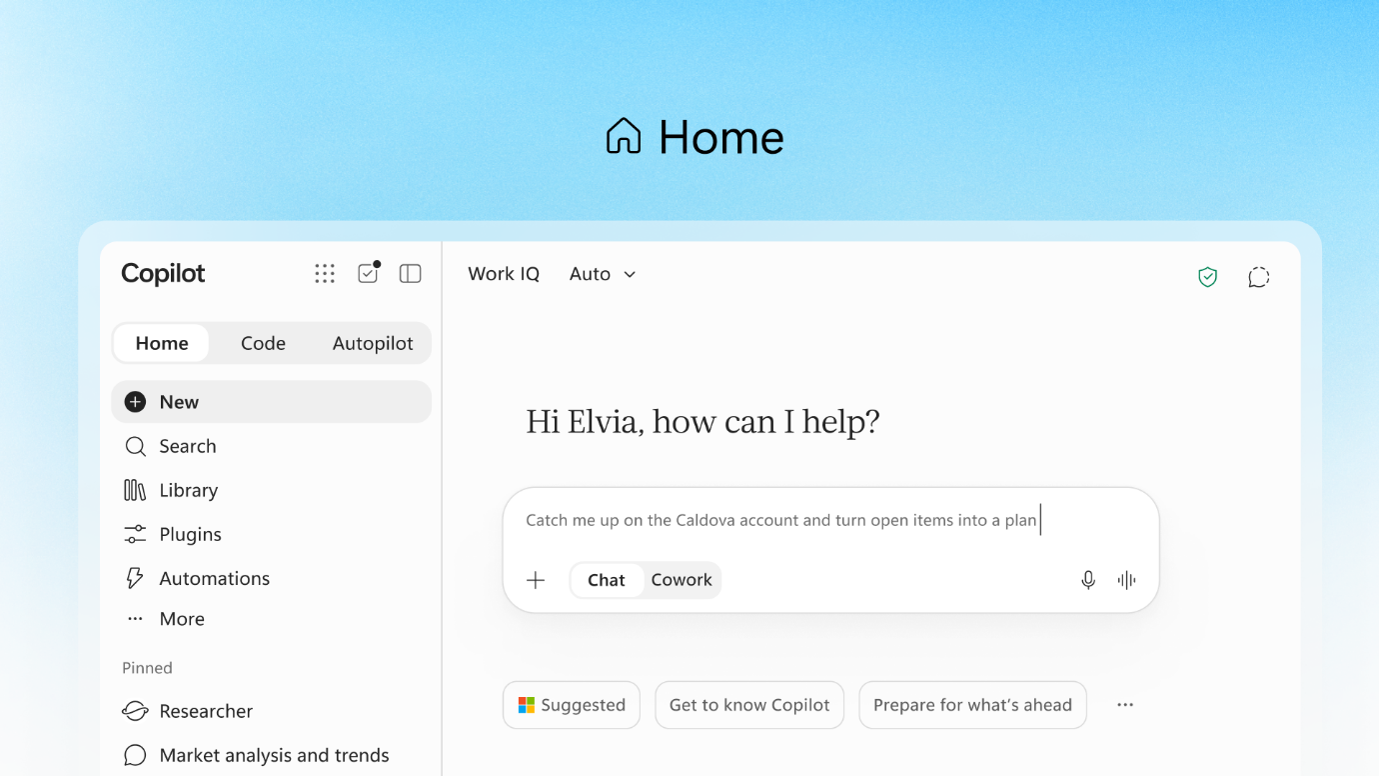
Home: Everyday Work Built Around Your Documents
Home becomes the new starting point. From here, users can work in two ways:
- Chat helps solve questions in real time. For example: “What mandatory training must someone complete when joining the consulting team?”.
- Cowork is designed to complete larger assignments. For example: “Create a welcome plan for a new employee based on our onboarding guide and team calendar.” Copilot gathers the required information, executes the necessary steps and delivers a draft ready for review.
The most important change is that Office now lives inside Copilot. In our example, the welcome plan becomes a real Word document and the first-day presentation becomes an editable PowerPoint. If the manager changes the date of a training session, the update is reflected both in Copilot and in Word. The content generated by AI remains part of the team’s documents, rather than becoming text that must be copied and pasted elsewhere.
Additional improvements include support for corporate PowerPoint templates, understanding changes made in Excel and reusing specialized instructions known as Skills. These capabilities are part of Microsoft’s broader vision of bringing everyday work directly into Copilot.
When discussing Cowork, one distinction is particularly important: the model and the application are not the same thing. Cowork can use models from OpenAI and Anthropic, depending on what the organization allows. The model processes the request. Copilot, as the application layer, provides access to data, permissions and Microsoft 365 security controls.
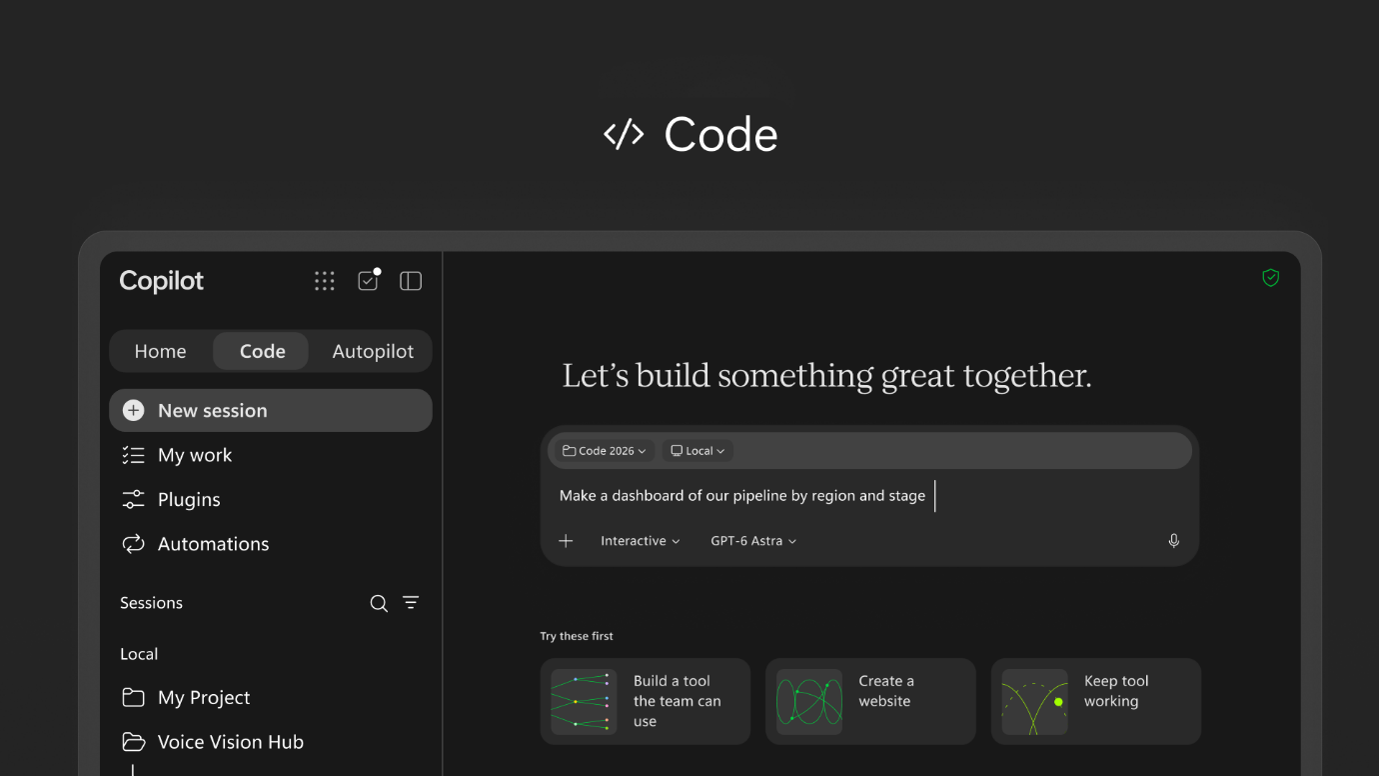
Code: Building Applications Without Writing Code
An onboarding plan works for a single employee. However, organizations hiring regularly may benefit from an application that tracks onboarding progress across multiple employees. With Code, users can simply ask:
“Create an application to monitor employee onboarding by person, department and task status, including equipment, access, training and assigned mentor.”
Code uses the same underlying technology as GitHub Copilot and operates in an isolated environment.
Applications are published through Copilot Managed Runtime, which hosts them within the organization’s Microsoft 365 environment. This provides control over who can access the application, what data it can query, which versions are available and what integrations it uses. Users access applications through their corporate identity.
At Bravent, after years of working with Power Platform, we know that building an application is only the beginning. Governance is the real challenge: environments, permissions, connectors, lifecycle management and ownership when creators move to different roles. Code dramatically simplifies application creation, making it more important than ever to define a governance strategy and decide which scenarios belong in Code, which fit Power Apps or Power Automate, and which require custom development.
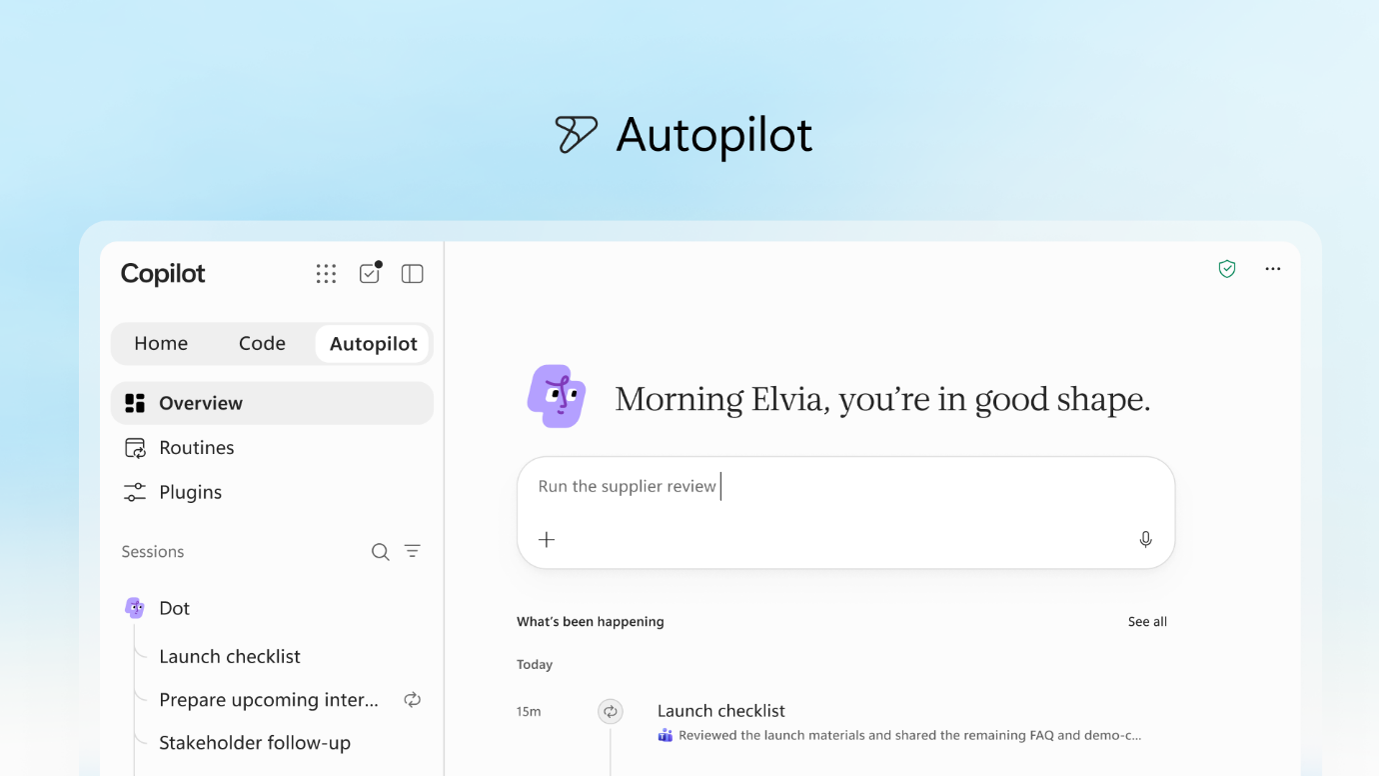
Autopilot: A Teammate That Never Disconnects
Since onboarding a new employee rarely happens in a single day, let’s introduce Autopilot.
A laptop delivery may be delayed. System access may still be pending. Training sessions may need to be rescheduled.
Autopilot, previously known as Scout, is an agent designed to maintain responsibility for a task over hours or even days. In our example, it could support the onboarding process during the employee’s first weeks by identifying missing tasks, reminding IT teams about pending requests, scheduling sessions with mentors and notifying managers when activities fall behind schedule.
Its key characteristics include:
- Cloud-based execution. It continues working even when your laptop is turned off.
- A dedicated identity. Agent actions are distinguishable from human actions and can be assigned specific permissions.
- Participation in Teams and Outlook. Users can interact with it like another colleague.
- Bounded autonomy. It can remind IT to complete an access request, but granting access to sensitive systems remains a human decision.
This is a major step beyond traditional automation. Automation follows predefined steps. Autopilot pursues an objective, such as ensuring a successful onboarding experience, and adapts its actions to changing circumstances.
Microsoft Work IQ: Context Is Everything
Everything described above depends on Copilot having access to the right information.
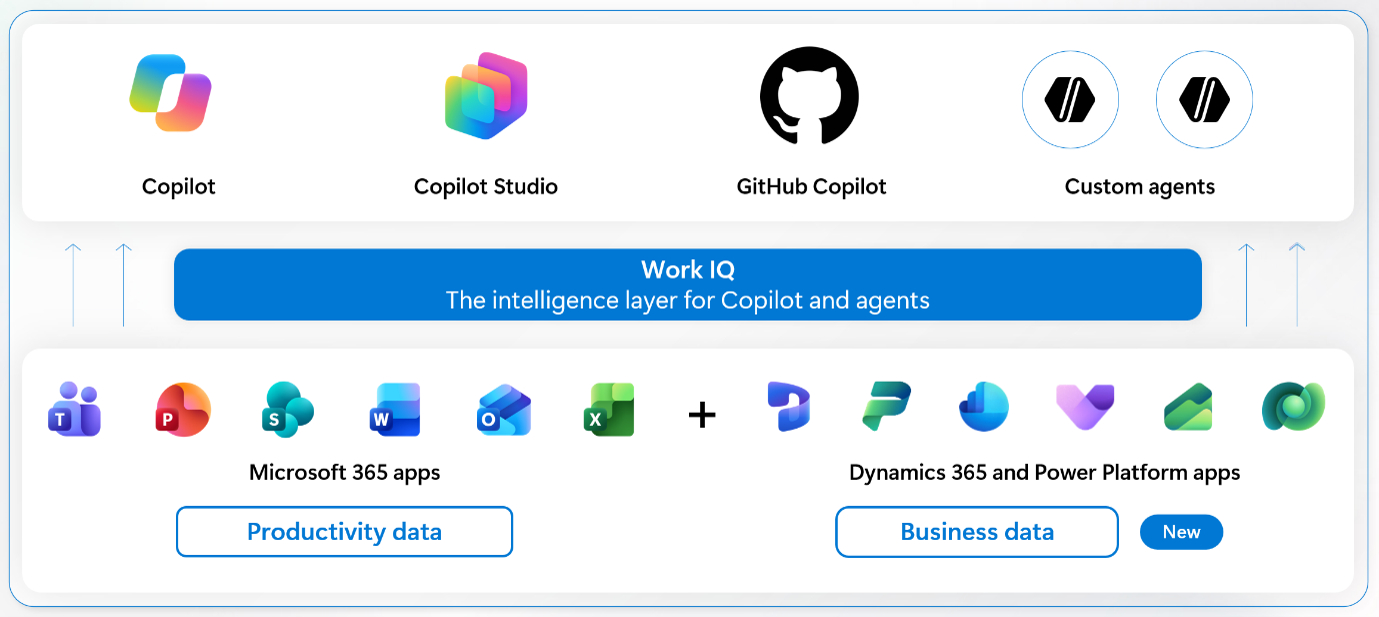
Work IQ brings together documents, conversations and business data, connecting them to provide richer context. Chat and Cowork can already leverage Power BI data. Microsoft describes Work IQ as a business intelligence layer embedded in the flow of work, enabling more contextual experiences across Copilot.
According to the Work IQ roadmap, expanded access to Dynamics 365 and Power Platform began preview testing on September 30 and is expected to roll out during October.
In addition, Microsoft plans to provide a catalog of plugins from Microsoft, third-party vendors and custom developments that IT departments can review and approve. Copilot does not automatically know everything that happens within an organization. Its knowledge depends on connected data sources and the permissions it receives.
What Few Organizations Are Watching Closely: Cost
This may be the most significant change for both business leaders and IT teams.
- Chat and Office remain included within the subscription.
- Cowork, Code and Autopilot are consumption-based services, similar to long-running tasks and advanced AI models.
Microsoft is introducing controls for budget allocation, model restrictions, consumption monitoring and additional credit approvals. The company refers to this approach as FinOps for AI. The goal is to balance innovation, governance and cost optimization in AI initiatives.
Code and Managed Runtime are integrated into the cost management capabilities of Agent 365, Microsoft’s platform for managing agents, including those built on compatible third-party ecosystems.
An autonomous agent spends autonomously as well. Organizations should establish governance and monitoring controls from day one.
When Is It Coming?
- Home and Code: Already rolling out to users in the Frontier program, with broader expansion planned in the coming weeks.
- Autopilot: Expanding its private preview at the end of September.
- @Copilot in Teams: Private preview expected at the end of September.
- Today: Private preview scheduled for October.
- Further announcements: Microsoft Ignite, November 17-20.
These dates correspond to the roadmap announced by Microsoft on September 25, 2026, and additional information is expected during Microsoft Ignite.
How to Prepare: Our Recommendation
From what we see in Copilot adoption projects, the organizations that achieve the greatest impact are not necessarily the first to activate the technology. They are the ones that arrive prepared.
We recommend four practical steps:
- Organize data and permissions. Copilot works with what it can access. Poorly managed permissions or disorganized content in SharePoint will be amplified by AI agents.
- Define governance before anyone creates applications. Establish when to use Code, when to use Power Platform and when custom development is required, as well as who publishes and maintains applications.
- Prepare a cost management model. Define budgets by department, approved models and approval processes. AI spending is evolving from fixed licensing to consumption-based usage.
- Start with a repeatable process and measure results. Verify data quality, evaluate whether teams can effectively use the outputs and measure the actual effort and cost involved.
At Bravent, we help organizations across every stage of this journey: data and permission readiness, governance for Power Platform and AI agents, and the successful adoption of Copilot across teams. If you would like to understand how your organization can prepare for this new generation of Copilot. Let’s talk: info@bravent.net