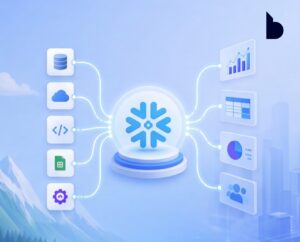
For a long time, in the data space, organizations that invested in Azure Databricks built a solid and scalable architecture: Unity Catalog for data governance, Delta Lake as the storage format, and Microsoft Power BI for data visualization.
A stack that works, scales, and has become a modern standard for advanced analytics.
Then Microsoft Fabric arrived.
And with it came key questions across organizations:
- Do I need to choose between Microsoft Fabric and Azure Databricks?
- Are they competing or complementary platforms?
The answer is clear: they don’t compete—they enhance each other. Understanding this is the first step toward building a modern, connected, and efficient data architecture.
The Most Common Mistake: Treating Fabric and Databricks as Substitutes
One of the most common mistakes in data strategy is trying to choose a single platform, when the real value lies in their integration.
The key is not choosing one—it’s connecting them intelligently.
Both platforms are designed to solve different challenges across the data lifecycle, and when combined correctly, they:
- Eliminate operational friction
- Reduce unnecessary costs
- Improve governance and traceability
Distinct Roles in the Architecture
- Databricks – the ENGINE – designed for data engineers and data scientists:
- Distributed processing with Apache Spark
- Machine Learning at scale
- Technical governance with Unity Catalog
- Fabric – the WINDOW – designed to bring data closer to the business:
- OneLake as a unified data lake
- Native integration with Power BI
Databricks Processes and Governs. Fabric Distributes and Visualizes
They are complementary, not substitutes.
The problem arises when teams try to replicate in Fabric what already exists in Databricks (or vice versa), leading to:
- Cost duplication
- Unnecessary operational complexity
Fragmented and hard-to-maintain governance
What You Already Know: Common Frictions in Databricks Architectures
If your organization already uses Databricks, Unity Catalog is your governance backbone and Power BI your consumption layer. However, several common challenges arise:
-
SQL Warehouse Always On = Continuous Cost
In DirectQuery scenarios, the Databricks SQL Warehouse must remain active while users interact with Power BI reports.
Result: Continuous cost—even without active data processing
-
Duplicated and Disconnected Security
- Unity Catalog manages access in Databricks
- Power BI requires its own Row-Level Security (RLS)
Problem: Security exists in two separate layers
Every change in Unity Catalog must be manually replicated in Power BI → risk of inconsistency and errors
-
Misaligned Semantic Models
When schema changes occur in Databricks:
- Power BI detects them too late → when reports break
This leads to:
- Broken dashboards
- Manual fixes
- Lack of structural alignment
-
Data Lineage Gaps
Unity Catalog tracks data origins, but:
- It does not know which Power BI reports consume that data
- End-to-end traceability is lost
Result: lack of full visibility
What’s New: The Shift Toward Connected Architectures with Fabric + Databricks
This is where integration changes everything.
-
Mirroring: Data Without Movement
Thanks to OneLake, Fabric can create a continuous replica of Unity Catalog without physically moving data.
- Tables remain in Databricks
- Power BI accesses them through Fabric
- No duplication required
Result:
- Optimized access
- Lower costs
- Cleaner architecture
-
Direct Lake: The Game Changer
Direct Lake redefines data access:
- DirectQuery → slow and expensive
- Import → fast but outdated
Direct Lake combines the best of both worlds:
- In-memory access from OneLake
- Near real-time data
- Import-level performance
No need for an active SQL Warehouse = direct cost savings
-
Unified Security with SSO and Unity Catalog
With DirectQuery and Single Sign-On (SSO) in Fabric:
- User identity flows from Power BI to Databricks
- Unity Catalog validates access in real time
Result:
- Single source of truth for permissions
- No security duplication
- Consistent governance across the architecture
-
Two-Layer Orchestration: Full Control of the Data Flow
- Databricks Workflows → Data layer
- Ingestion
- Transformation
- Machine Learning
- Data quality
- Fabric Pipelines → Consumption layer
- Semantic model refresh
- Alerts and notifications
- Automation
Key behavior:
- Fabric waits for Databricks jobs to complete successfully
- If Databricks fails → Power BI does not refresh
- Users only see validated data
Semantic Governance: The Missing Link
One of the most overlooked aspects in Fabric + Databricks architectures is the semantic model.
Organizations invest heavily in governing data—but not in governing how it’s consumed.
This is where Semantic Link (sempy) comes in:
- Query semantic models from notebooks
- List DAX measures
- Analyze dependencies
- Detect orphan tables
- Generate documentation
Key value: Validates alignment between Unity Catalog and the semantic model
- If misaligned → refresh is blocked
- Pipelines stop
- Data quality is enforced
End-to-End Observability: Knowing Where to Look When Things Break
In hybrid architectures, full visibility is critical.
Performance issues can originate at any layer.
Key Analysis Layers
- Databricks
- System Tables
- Query analysis
- Bottleneck detection
- Fabric
- Monitoring Hub
- Pipeline status
- Mirroring control
- Power BI
- Log Analytics
- DAX diagnostics
- Capacity saturation
Common mistake: Looking in the wrong layer
Real differentiator: Knowing where to look first dramatically reduces resolution time
Verdict: An Architecture That Doesn’t Force You to Choose
The conclusion is clear:
There is no winning platform—there is a winning architecture
- Unity Catalog remains the single source of truth
- Databricks continues to lead data processing
- OneLake acts as the ideal distribution layer
- No need to migrate
- No need to rebuild pipelines
- No need to duplicate security
Microsoft Fabric doesn’t replace Databricks—it amplifies it
At Bravent, we help organizations design and implement modern, scalable, and connected data architectures, combining Microsoft Fabric and Azure Databricks to maximize data value.
📩 Contact us at info@bravent.net to learn how to get started.